Supports all major banks in North America and Europe

Manage Your Finances Directly in Google Sheets

Sync bank transactions to Google Sheets. Track spending, manage subscriptions, and own your financial data.

Start for free
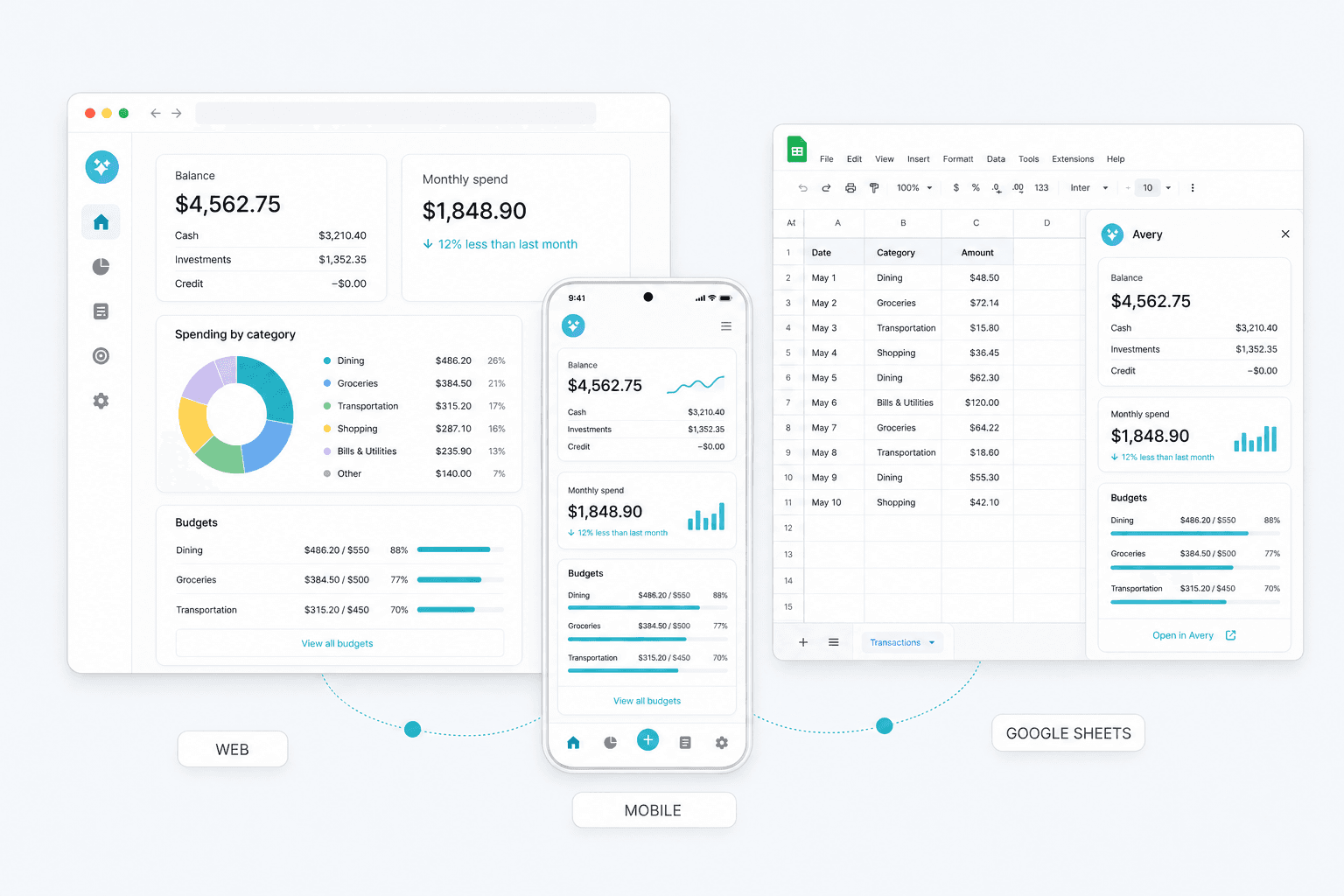
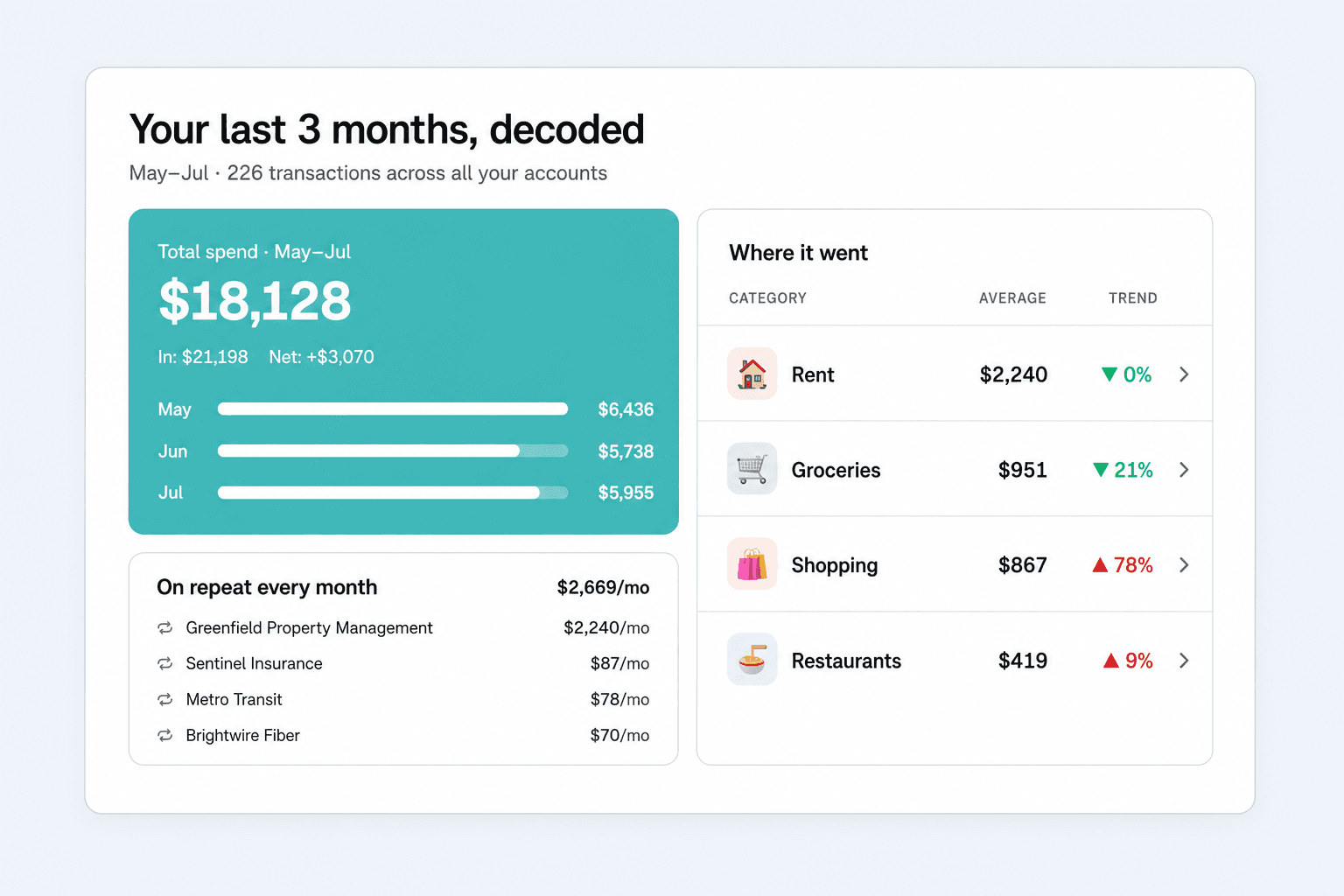
Avery running inside Google Sheets with a live financial dashboard

Used daily by more than 1,836 businesses.

  • HSBC
  • Barclays
  • Lloyds
  • NatWest
  • Santander
  • Revolut
  • AIB
  • Nationwide

• How Avery Works

Get set up in 3 simple steps

  1. Avery listed in the Chrome Web Store

    Step 1

    Install Google Sheets Extension

  2. Avery sidebar with synced bank accounts in Google Sheets

    Step 2

    Sync your Bank Accounts

  3. Avery automated budget dashboard in Google Sheets

    Step 3

    Analyze your data

Demo Video

See Avery In Action

Features

Nothing beats aspreadsheet

AI Categorization

Smart Sorting. While You Sleep.

Avery's AI automatically organizes and categorizes your transaction data based on your rules, keeping your budget updated without you lifting a finger.

  • Automated transaction tagging
  • Hands-free spending insights
Avery AI categorization view in Google Sheets

Auto Update

Zero Manual Work.

Import every transaction across all your accounts with just two clicks, giving you an instant, accurate view of your finances going back two years.

  • Two-year historical retrieval
  • Multi-account transaction mapping
Avery dashboard view with financial charts

Custom Rules

Set Your Rules. We'll Do The Rest.

Avery automatically categorizes your data and syncs your accounts daily while you sleep, so you stay updated without lifting a finger.

  • Custom categorization rules
  • Daily automated syncing
Avery custom rules and transactions screen
User Stories

What Our Users Say

Customer Note
SmartRecover
Avery is a total life saver! Cannot believe I used to waste so much time manually importing transactions into my sheets. This has simplified my financial management by seamlessly consolidating all my bank transactions into one Google Sheet. The setup was quick, and the auto-sync feature saves me from manually importing transactions. It fits perfectly into my workflow, making tracking finances effortless.

SmartRecover

Fully Custom AI Driven Financial Workflows

Enjoy a 30-day free trial when you join today.

Start for free
FAQ

Frequently Asked Questions

Is my financial data secure with Avery?
Yes. Avery uses Plaid and GoCardless for bank connections. We do not store banking credentials, and your transaction data flows into your own Google Sheet.
How do I get started with Avery?
Start a free trial, install Avery for Google Sheets, connect your bank accounts, and choose a template. Most users can get a live budget running in minutes.
How do I use Google Sheets for accounting?
Create tabs for transactions, categories, rules, and reports. Avery can automatically sync and categorize transactions so your sheet stays current.
Can Google Sheets be used for accounting?
Yes, especially for personal finance, freelancers, and lightweight small-business workflows. Work with a qualified professional for tax and compliance needs.
How do you do bookkeeping on Google Sheets?
Use a transaction log, a chart of accounts or category list, monthly reports, and a review process. Avery automates the bank-import layer.